overcaption / whisper app
Whisper on your desktop. No command line.
Overcaption is a free Mac and Windows app built on the whisper.cpp engine: drop in a video, get word-timed subtitles, then edit, translate, export or burn in. No Python, no terminal, no flags.
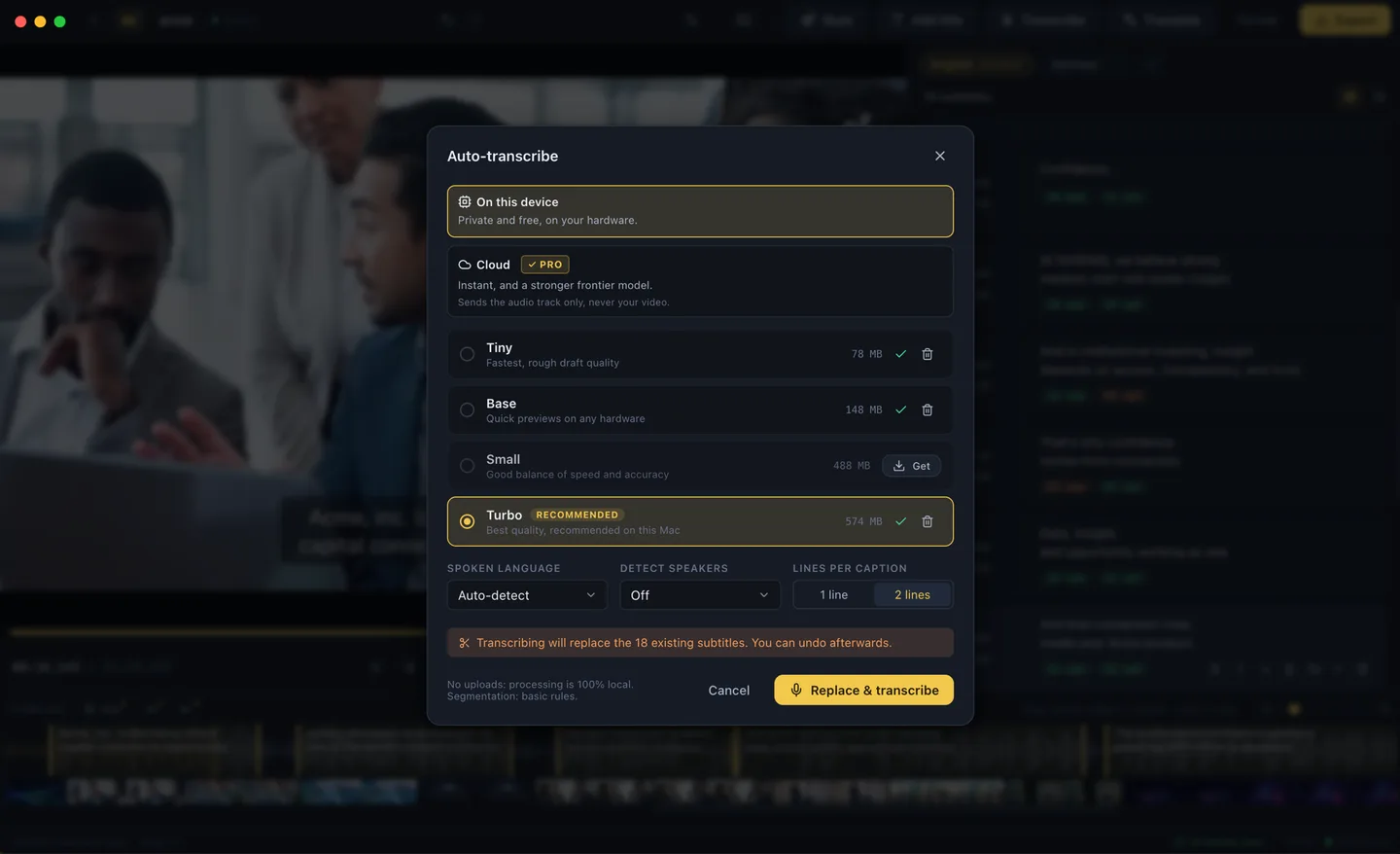
Made for subtitles, not dictation
Most Whisper front ends are transcript or dictation tools, and the rough edges show the moment the words have to sit on a video. A transcript is where subtitling starts, not where it ends. Overcaption wraps the engine in an actual subtitle studio: a waveform editor for timing, quality checks for reading speed and line length, styles with a live preview, local translation and clean exports.
What you get
- Word-level timestamps. Kept through editing, and they power the word-by-word caption styles.
- A choice of models. Pick the speed-versus-accuracy trade-off you want and the app downloads it; a sensible default is set up for you.
- Junk-line cleanup. The repeated filler lines speech models sometimes produce are filtered automatically.
- The step after the transcript. Inline text editing, waveform retiming, find and replace, checks for reading speed, line length and overlaps.
- Local translation. 50+ languages with local models from Mozilla, Google and Tencent, running on your machine like everything else.
- Free exports. SRT, VTT and plain text, or burn the subtitles into the video up to 1080p, watermark-free.
- Batch, without the shell script. Drop in a folder's worth of files and collect an SRT for each, plus translations and burned-in videos if you asked for them. Part of Pro.
If you already run whisper.cpp
Honestly: if the terminal workflow suits you, whisper.cpp on its own is excellent and free, and nothing here will change your mind. Overcaption is for the moment the transcript needs to become subtitles on a video: the timing fixes, the line breaks, the styling, the burn-in. That part was never a command-line problem.
What is free and what is Pro
Transcription with the full range of local models, the editor, local translation, every export format and burn-in up to 1080p are free with no time limit. Pro adds finishing extras such as animated word-by-word captions, titles, video rough cut, speaker detection, 4K and batch processing at $99 a year or $19 a month, free to try for 14 days. Details on the pricing page.
FAQ
Which models can I use?
Several sizes, from fastest to most accurate, downloadable inside the app. The default is a good middle ground for subtitle work.
Does it need internet?
Only to check for updates and to download models you ask for. Transcription itself runs offline, on your own hardware.
What does it run on?
Apple Silicon Macs and Windows 10/11.