overcaption / subtitle translator
Translate subtitles into 50+ languages. Free, offline.
Overcaption translates subtitle files (SRT or VTT) on your own computer, and rewrites each line so it reads naturally in the new language. Bring a file you already have, or let the app create subtitles from a video first. Nothing gets uploaded, and translation is free with no time limit.
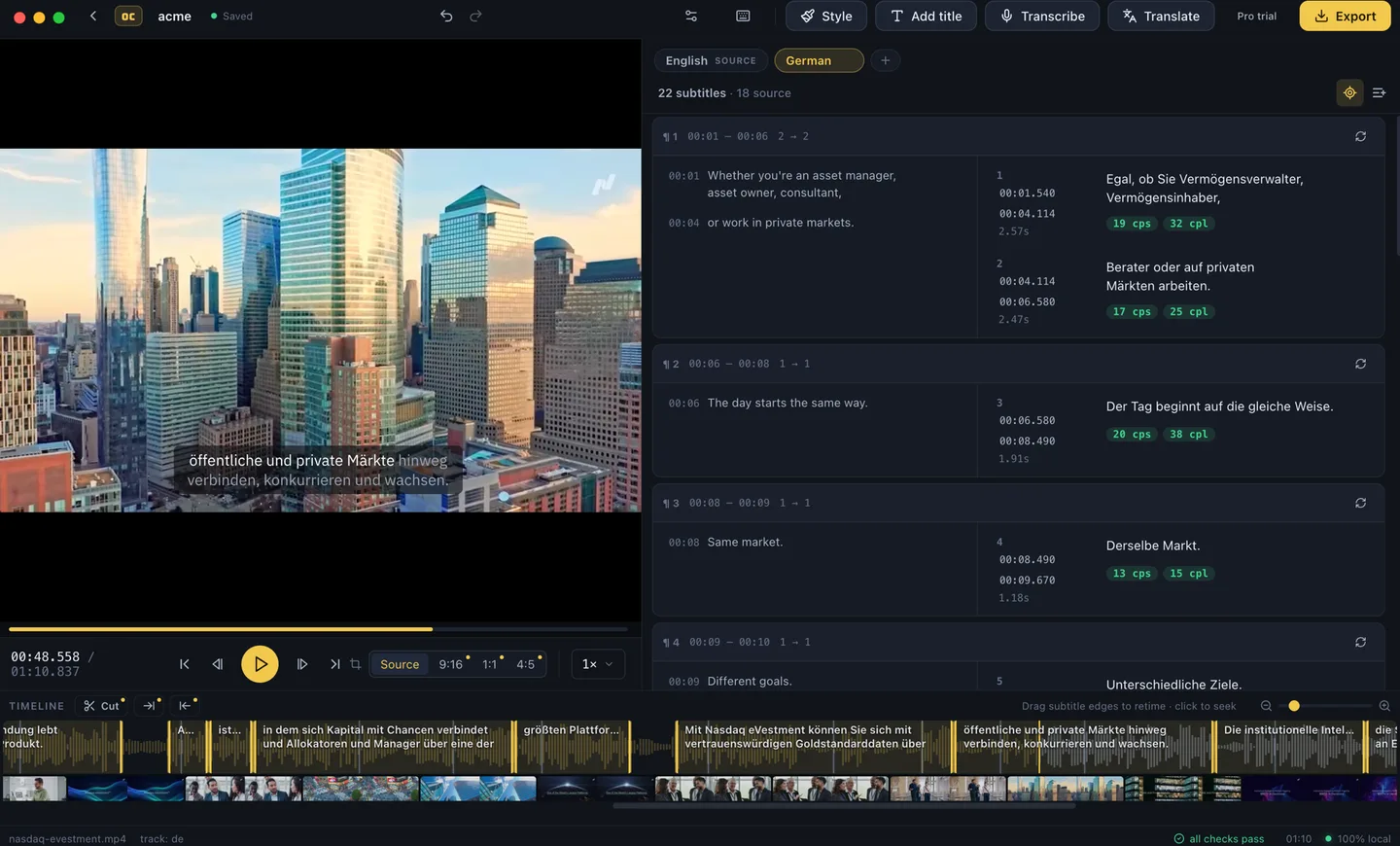
A translator that understands subtitles
- Everything happens on your computer. Translation uses local models from Mozilla, Google and Tencent, downloaded once inside the app. Your file never leaves your disk, and it keeps working with the internet off.
- Free, without a meter. Translation into 50+ languages, the editor and every export are free: no per-file pricing, no monthly minutes, no watermark.
- Adapted, not swapped word for word. Whole sentences go to the translator, and the result is split into new subtitles that fit the language you chose.
- Works with the file you have. Open an SRT or VTT, translate it, and save the same format. The subtitles still appear exactly when people speak, so everything stays in sync with the video.
- Every language side by side. Each translation shows up as its own version in the editor: switch between languages, fix a line here and there, and export each one separately.
How it works
-
01
Bring subtitles
Open an SRT or VTT file, or drop in a video and let the app create the subtitles.
-
02
Translate on your computer
Pick the languages you want. The models download once, then run on your own hardware.
-
03
Save each language
Save SRT, VTT or plain text for each language, or burn the subtitles into the video.
Adapted to the new language, automatically
Most tools translate subtitles line by line, and it shows: the new language gets squeezed into a layout made for the old one. Overcaption translates whole sentences, then rebuilds the subtitles for the language you picked. Lines break in natural places, each subtitle stays on screen long enough to read comfortably, and a sentence becomes more or fewer subtitles when the translation comes out longer or shorter than the original. Everything still appears when it is actually said, so nothing drifts out of sync.
No subtitle file yet? Start from the video
Overcaption also creates subtitles in the first place: drop in a video, and speech recognition running on your own computer turns what is said into cleanly timed subtitles. From there it is one step to translate them, and both steps are free. If that is the part you came for, there is a whole page on generating subtitles offline.
From one file to a whole season
For a folder of episodes, batch processing creates and translates subtitles for every file in one run and collects the results for you. Pro users can also add a glossary, so names and recurring terms come out the same way in every episode, and there is a cloud translation engine when you want one.
What is free and what is Pro
Translation into 50+ languages is free, along with creating subtitles from video, the editor, every export format and burn-in up to 1080p, with no time limit. Pro adds glossaries, cloud engines and finishing extras such as animated word-by-word captions, titles, 4K and batch processing, at $99 a year or $19 a month, free to try for 14 days. Details on the pricing page.
FAQ
Does my subtitle file get uploaded?
No. The translation runs entirely on your computer. The one cloud option is a clearly labeled Pro feature you have to pick on purpose.
Do the subtitles stay in sync?
Yes. Every translated passage stays matched to the moment it is spoken, so nothing drifts against the video. Within that moment, the subtitles are split and timed again for the new language: one that runs longer gets more lines and more reading time, one that runs shorter is not left flashing by.
Can it create the subtitles, not just translate them?
Yes. Drop in a video and the app writes the subtitles first, on your computer, then translates them. You do not need a subtitle file to start.
Which formats does it read and write?
It opens SRT and VTT files, and saves SRT, VTT or plain text for each language, or burns the subtitles straight into the video.
Which languages can it translate?
Coverage differs by language and direction, so there is a full per-language breakdown.